
How to create a new notification template Notification templates are created in the section of the same name in the system administrative settings. false W3sidGl0bGUiOiJTZXR0aW5ncyIsInVybCI6Ii91c2Vycy9hZG1pbmlzdHJhdGlvbi8ifSx7InRpdGxlIjoiQ29tbXVuaWNhdGlvbiBzZXR0aW5ncyIsInVybCI6Ii91c2Vycy9hZG1pbmlzdHJhdGlvbi9jb21tdW5pY2F0aW9uLXNldHVwLyJ9LHsidGl0bGUiOiJOb3RpZmljYXRpb24gdGVtcGxhdGVzIiwidXJsIjoiL3VzZXJzL2FkbWluaXN0cmF0aW9uL2NvbW11bmljYXRpb24tc2V0dXAvbm90aWZpY2F0aW9uLXRlbXBsYXRlcy8ifV0= Settings /users/administration/ ["users","Settings"] ["users","Settings","Communication settings"] users

How to create a new notification template

Notification templates are created in the section of the same name in the system administrative settings.

To add your own notification template, click on the button of the same name in the “Notification templates” section, which is located in the system administrative settings.
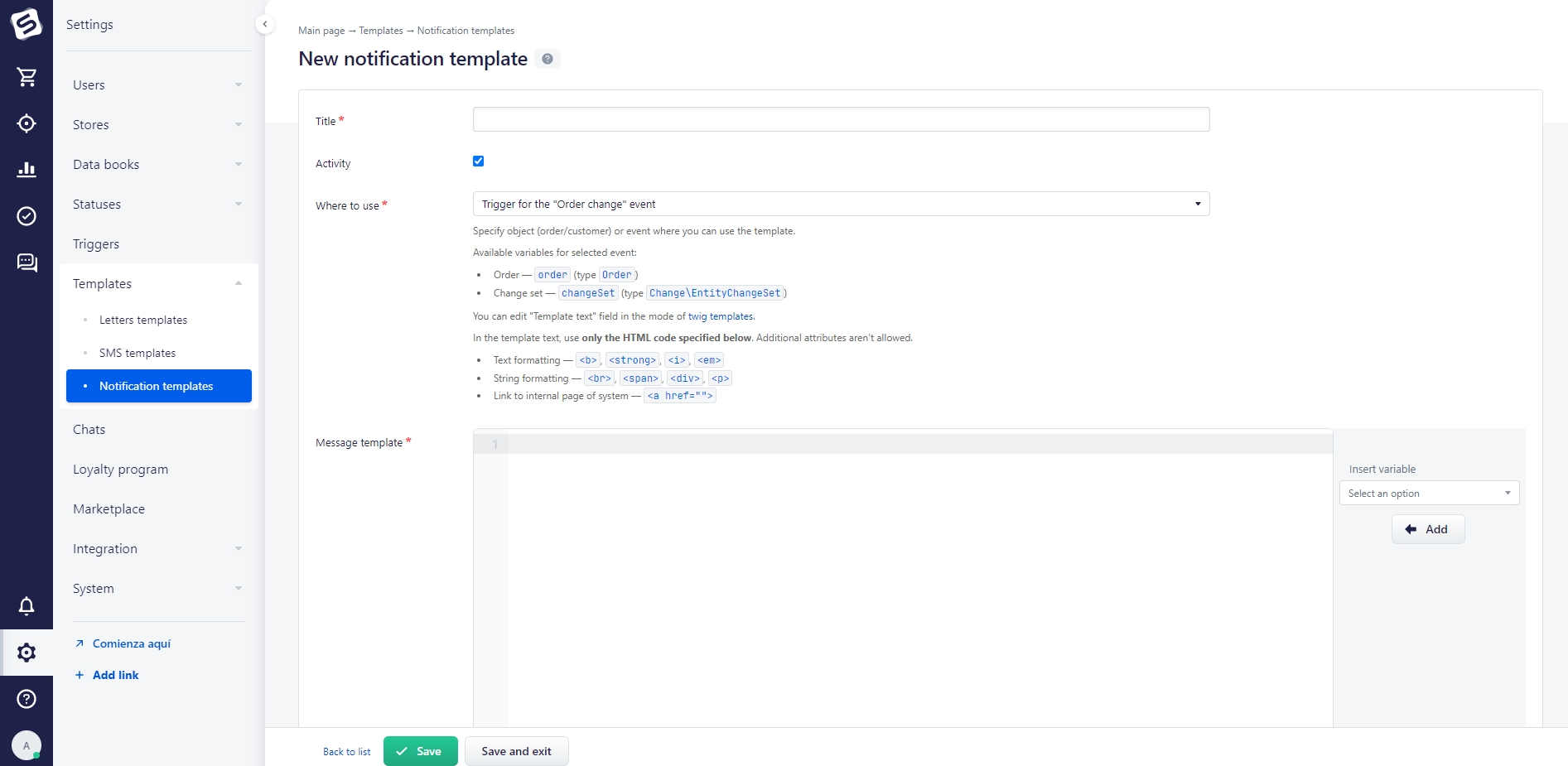
«Where to use» Select the event for which the template is being created. Next, enter the text of the notification and add the necessary parameters for the order or customer.

With the “Text template” field, it is also possible to use Twig templates.

Important!

There are restrictions on the use of html - code. Valid tags without additional attributes: <b></b>, <i></i>, <strong></strong>, <em></em>, <br>, <span>, <div>, <p>, <a href=""></a>.

The creation of notification templates is more commonly used in conjunction with triggers and marketing rules].

Thank you for your feedback.
Was this article helpful?
No
  • The recommendations did not help
  • There is no answer to my question
  • The text is difficult to understand
  • I do not like the described functionality
Yes
Previous article
Main notification types
Notifications are short messages about events or tasks that appear automatically in pop-up windows in the bottom right hand corner of the screen. They are also displayed in the site header.