
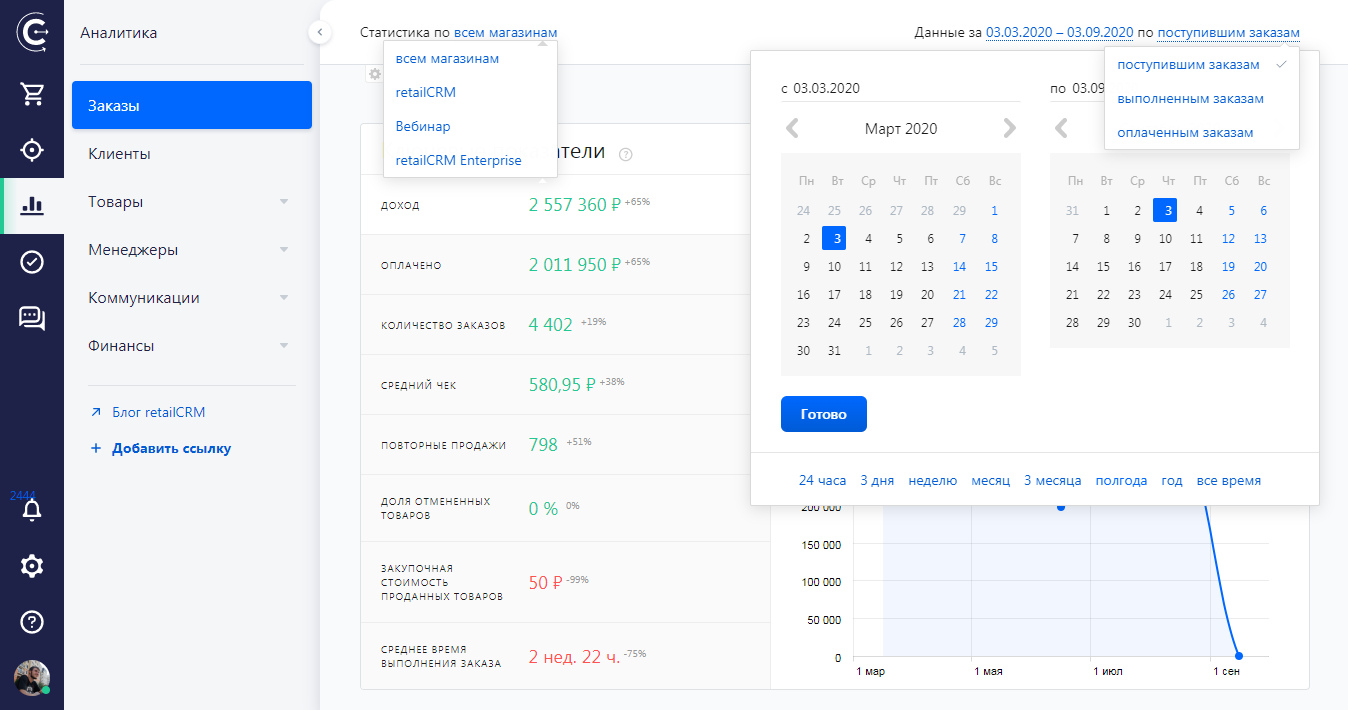
A single filter is attached to the top of the page that affects all the widgets in the section and stays in place when scrolling through the content. With it you can:
- collect statistics for all or several selected stores
- collect statistics for all types of customers or only for specific customers (corporate / private customers)
- choose the time period for which you want to view the received data
- sort data by key types of order status: received, completed or paid. If required, you can choose all three options; that is, data will be collected on received, completed and paid orders.
Please note that information in the filter on paid orders is generated upon payment for the order.
Important!
If the global filter is set for paid or completed orders, then the graph may go beyond the specified date range, focusing on the order creation date.
In the calendar, you can select both a relative date (for example, 24 hours, 3 days, one week, one month etc.); or set an exact date by selecting start and end dates.
Configuring the list of widgets
Under the statistics there is a “gear” icon. Upon clicking, a list of basic widgets is displayed. You can also add new universal widgets.
Drag the blocks to arrange them in the order you want. If necessary, basic widgets can be deactivated, and previously added widgets can be deleted
Note
No more than 15 widgets can be displayed on the analytics page simultaneously.