
Integration with Assistant bot This article describes how to connect Assistant bot. false W3sidGl0bGUiOiJDaGF0cyIsInVybCI6Ii91c2Vycy9jaGF0cy8ifSx7InRpdGxlIjoiQm90cyIsInVybCI6Ii91c2Vycy9jaGF0cy9ib3RzLyJ9LHsidGl0bGUiOiJBc3Npc3RhbnQiLCJ1cmwiOiIvdXNlcnMvY2hhdHMvYm90cy9hc3Npc3RhbnQvIn1d Chats /users/chats/ ["users","Chats"] ["users","Chats","Bots"] users

Integration with Assistant bot

This article describes how to connect Assistant bot.

Before connecting, you must first create an API key that will be used to transfer messages. The key is available in the “API access keys” section.

When creating a key, activate the methods of the following sections: “Integration”, “Data books” and “Warehouse”.

Next, when connecting the bot, specify the system address and the created API key, and then save the changes.

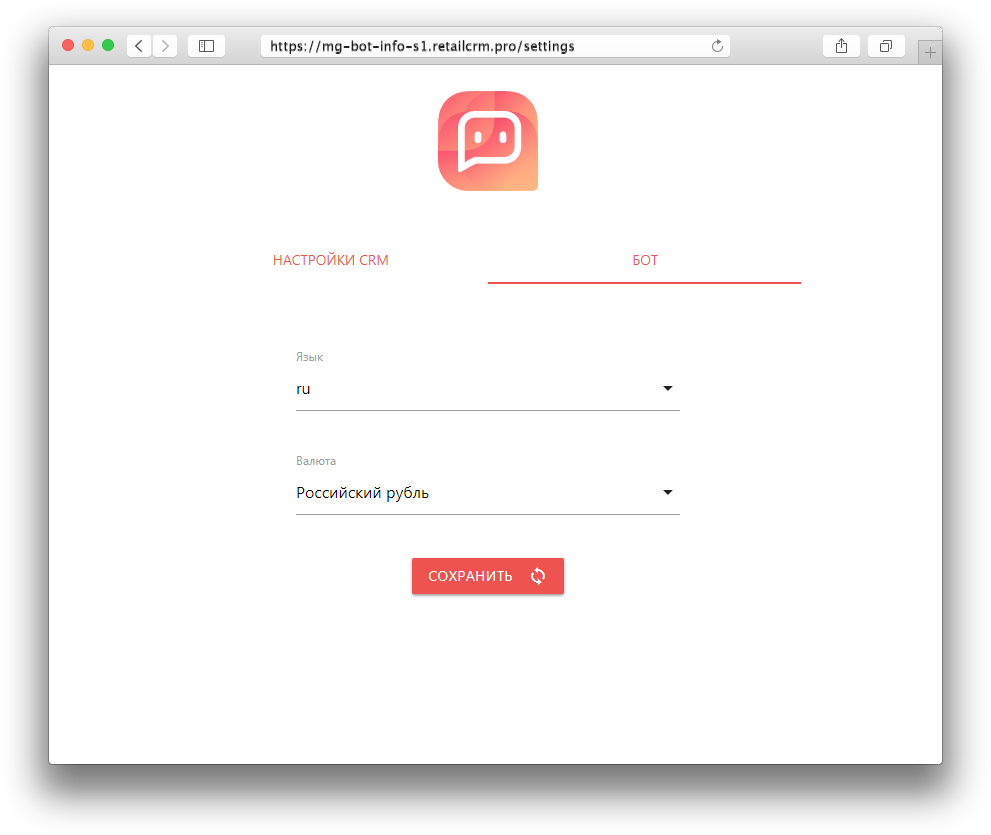
After saving, the “Language” tab will appear, where you can select the language in which the connected bot will reply.
Thank you for your feedback.
Was this article helpful?
No
  • The recommendations did not help
  • There is no answer to my question
  • The text is difficult to understand
  • I do not like the described functionality
Yes
Previous article
What is the Assistant bot used for?
The assistant bot allows you to simplify interactions in the dialogue between the manager and the customer by using certain commands.