
Note
Prior to connecting, you need to create an API key that will be used to exchange messages. The key is available in the “API access keys” section. When creating a key, activate the methods of the “Integration” section.
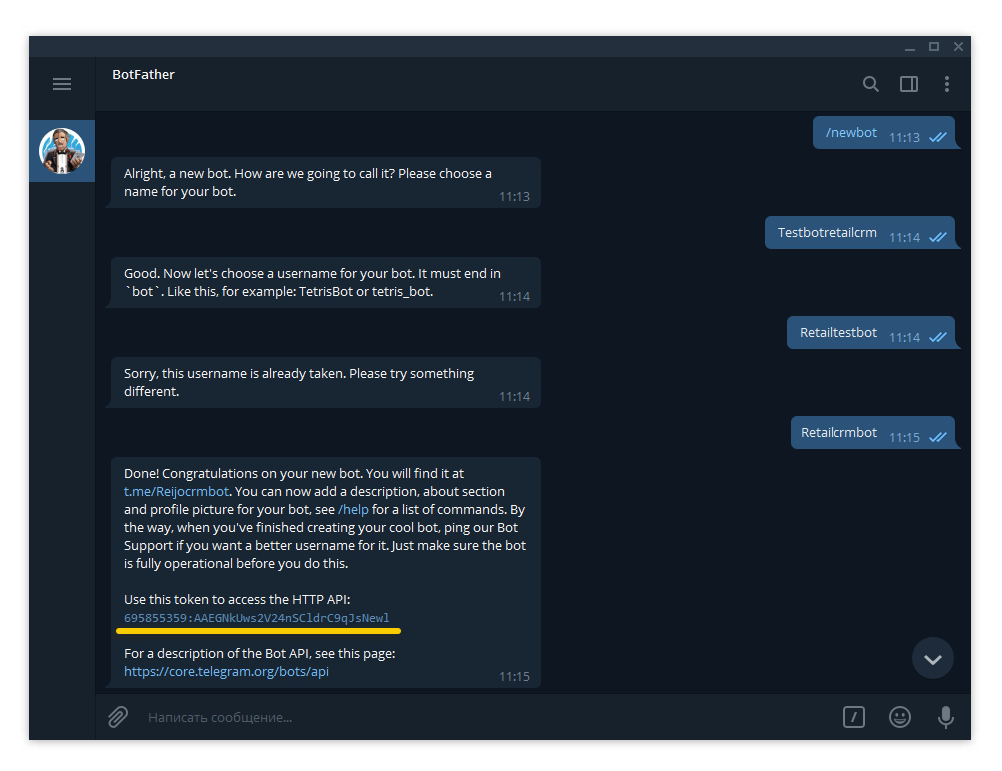
After activating chats and generating a key, you need to create a bot in Telegram itself. To do this, the official bot @BotFather is used, which will tell you how to create and configure a bot. After creating, copy the token as it will be required to connect the bot to the system.
Go to the “Marketplace”, select the Telegram integration module and click on the “Connect” button. On the connection page, specify the system URL and the created API key. Save your changes.
After saving, an additional “Bots” tab will appear where you must specify the token-key of the created bot.
“en” / “ru” is intended to specify the language of system notifications within the widget in the chat.
The integration is now complete. Messages from Telegram will now be uploaded to the system.
For more general information about how to work with chats, see the related section.
To find and write to the created bot, you need to specify its name with the “@” symbol in the Telegram search. For example: @democrmbot.