
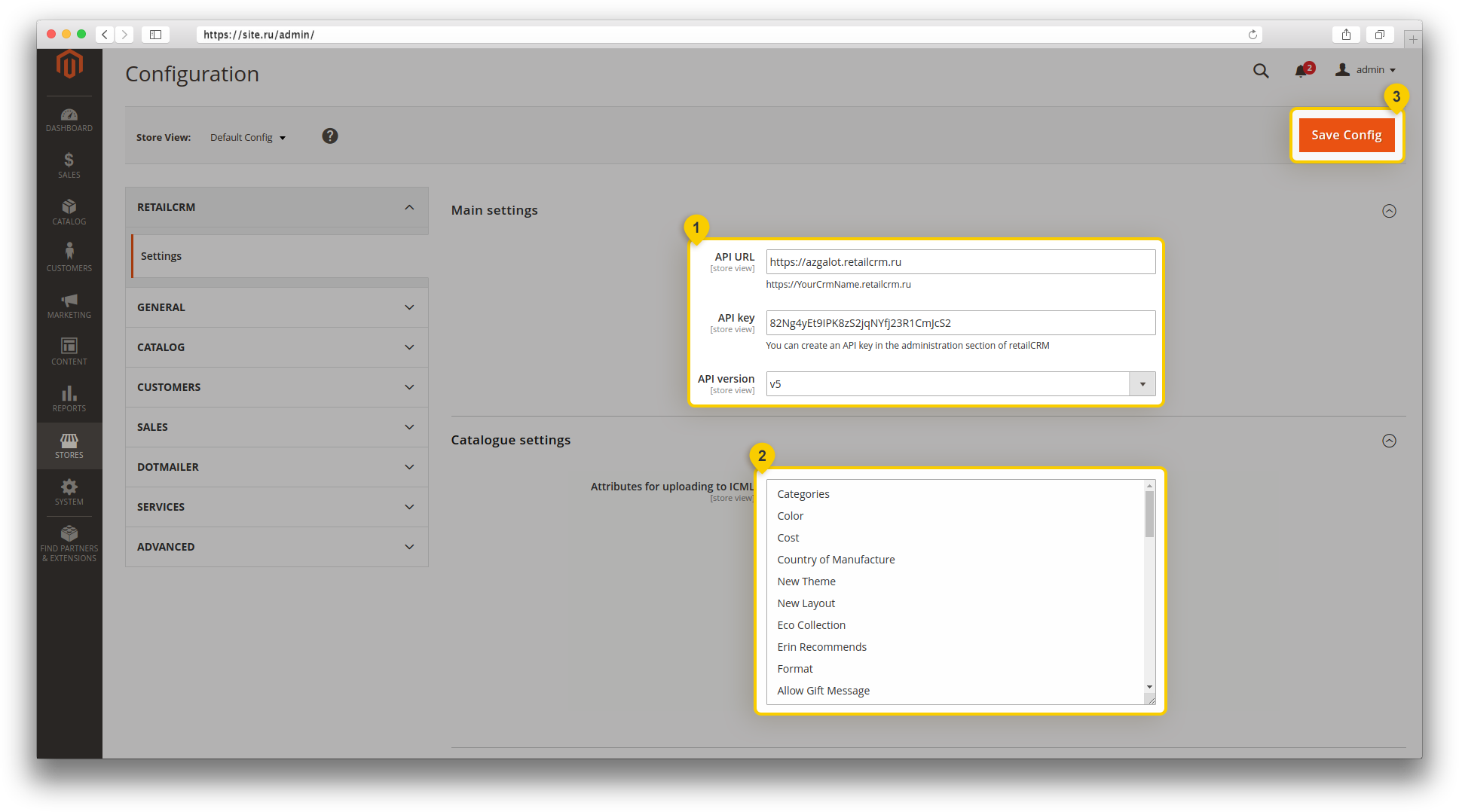
To get to the module settings, go to Stores > Configuration.

In the following section, select the the RETAILCRM item. The integration module settings menu will open, in which you must specify the system address (for example, https://demo.retailcrm.pro), the previously created API-key], and select the API version used (v5 is available only in system version 6.0 and higher).
You also need to select product parameters to generate the catalogue.
After entering all the data, save the changes.
After saving, you will be able to configure data books (payment types, delivery types); status matching, Daemon Collector settings and the option to receive balances from the system.
Manual transfer of orders is also available in this menu. To transfer, you must specify the order number in the “Order number” field and click the “Send” button.
It should be noted that some settings can be set for each individual site created in Magento. In order to change the settings for one of the sites, you need to switch to it by selecting “Store View” in the list.
To make changes, you must disable the “Use default” parameter and specify the required value, which must match for the selected site. Then click the “Save Config” button to save the settings.
