
How to add links to social networks Social network icons are used to prompt recipients to quickly jump from an email to a group or company channel. Icons can also be linked to company messengers for quick contact with support. false W3sidGl0bGUiOiJNYXJrZXRpbmciLCJ1cmwiOiIvdXNlcnMvbWFya2V0aW5nLyJ9LHsidGl0bGUiOiJNYWlsaW5ncyIsInVybCI6Ii91c2Vycy9tYXJrZXRpbmcvbWFpbGluZ3MvIn0seyJ0aXRsZSI6IkVtYWlsIHRlbXBsYXRlIGJ1aWxkZXIiLCJ1cmwiOiIvdXNlcnMvbWFya2V0aW5nL21haWxpbmdzL2VtYWlsLXRlbXBsYXRlLWJ1aWxkZXIvIn1d Marketing /users/marketing/ ["users","Marketing"] ["users","Marketing","Mailings"] users

How to add links to social networks

Social network icons are used to prompt recipients to quickly jump from an email to a group or company channel. Icons can also be linked to company messengers for quick contact with support.

Social networks icons can be placed anywhere: in the menu, footer or in the center of the email.

Let’s take a look at how to add icons to social networks.

First, add the “Social” block to the email template.
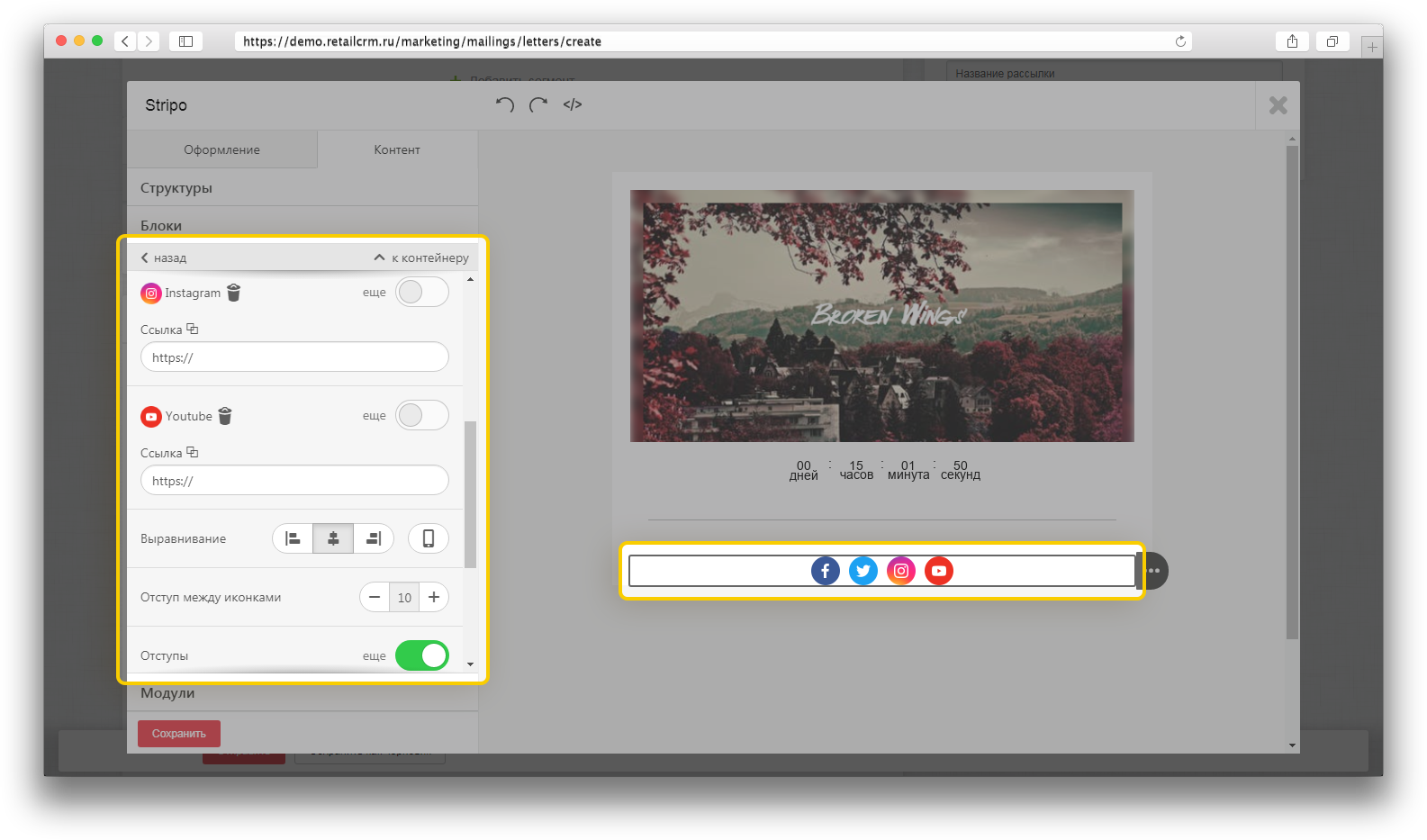
Double click on the added block in the template to activate the settings panel:

  • By default, you will see four icons. If that’s not enough, click the plus button to add additional icons to the template.
  • On the settings panel, next to the social network icon, activate the “more” switch to get started with that particular social network. When you click, additional fields called “Title” and “Alternative text” will appear.
  • Insert the appropriate URL links, provide a title and alternative text.
  • Set the size of the icons.
  • If necessary, set indents and spaces between icons.

Thank you for your feedback.
Was this article helpful?
No
  • The recommendations did not help
  • There is no answer to my question
  • The text is difficult to understand
  • I do not like the described functionality
Yes
Previous article
Adding a spacer
A spacer is a decorative element that makes emails look structured and enhances the recipient's perception of content. The article describes how to add and configure it.
Next article
How to add an unsubscribe link to an email template
If you don't allow recipents to unsubscribe, it is likely that they will mark your emails as spam. This can affect the store's reputation.