
Working with tasks in the order page. This article describes the process of creating tasks on the order page. You can work with current tasks and view information about open and expired tasks. false W3sidGl0bGUiOiJTYWxlcyIsInVybCI6Ii91c2Vycy9vcGVyYXRpbmctYWN0aXZpdHkvIn0seyJ0aXRsZSI6Ik9yZGVycyIsInVybCI6Ii91c2Vycy9vcGVyYXRpbmctYWN0aXZpdHkvb3JkZXJzLyJ9LHsidGl0bGUiOiJPcmRlciBwYWdlIiwidXJsIjoiL3VzZXJzL29wZXJhdGluZy1hY3Rpdml0eS9vcmRlcnMvb3JkZXItcGFnZS8ifSx7InRpdGxlIjoiV29ya2luZyB3aXRoIHRoZSBvcmRlciBwYWdlIiwidXJsIjoiL3VzZXJzL29wZXJhdGluZy1hY3Rpdml0eS9vcmRlcnMvb3JkZXItcGFnZS93b3JrLW9yZGVyLXBhZ2UvIn1d Sales /users/operating-activity/ ["users","Sales"] ["users","Sales","Orders"] users

Working with tasks in the order page.

This article describes the process of creating tasks on the order page. You can work with current tasks and view information about open and expired tasks.

You can create a new task directly on via order page. All current tasks attached to this order will also be available here. The function of tasks is described in detail in the corresponding section.
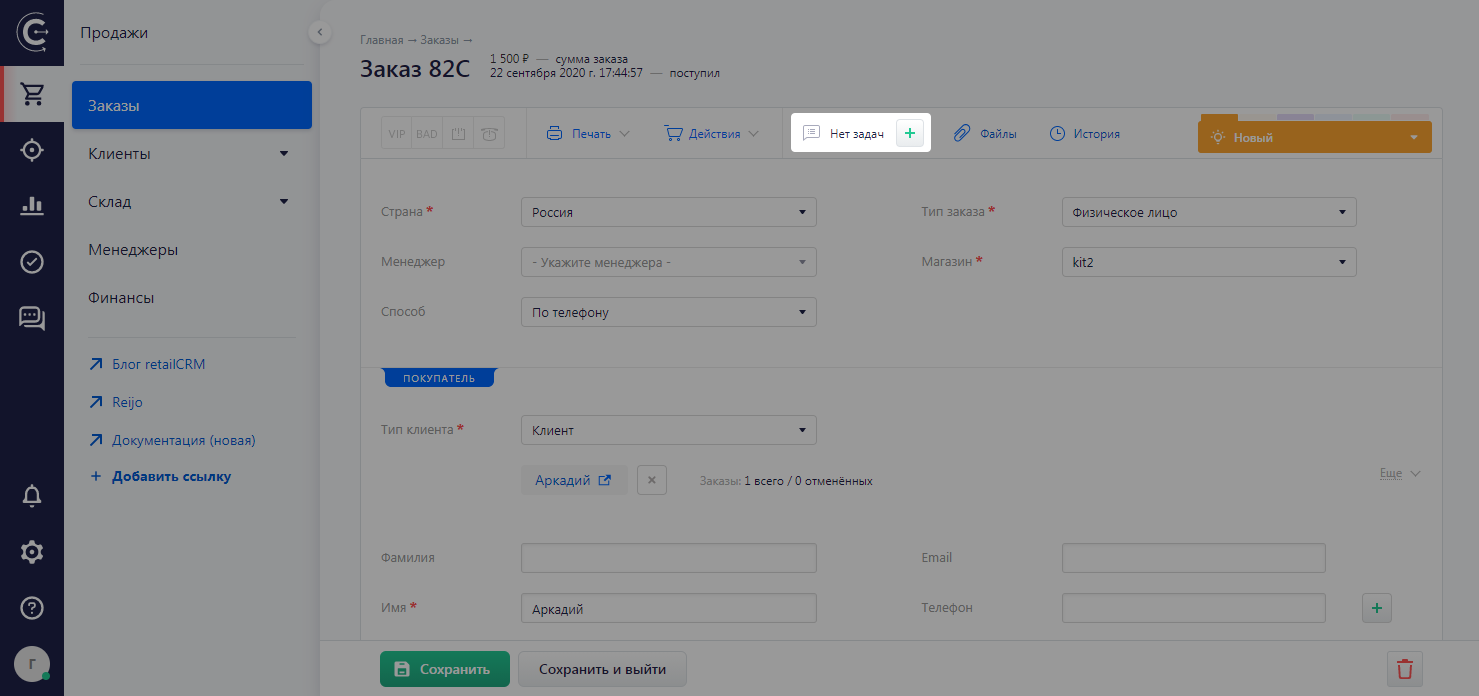
Clicking on the “Tasks for orders” link will open a pop-up form with a list of tasks. Tasks can be displayed as follows:

  • Tasks on the order 1/2 (1 expired task and 2 open ones)
  • Tasks on the order 2 (2 open tasks)
  • Tasks on the order (all tasks on the order are closed)
  • No tasks (no tasks on the order)

Upon clicking the green ‘plus’ button, a short form will appear, in which you can specify the responsible manager for the task and add a comment.

Thank you for your feedback.
Was this article helpful?
No
  • The recommendations did not help
  • There is no answer to my question
  • The text is difficult to understand
  • I do not like the described functionality
Yes
Previous article
Printing documents from an order
This article describes three components: 1) The generation of documents using prepared templates; 2) A description of the main default printed templates that are available in the order; 3) The packaging function and associated printing.
Next article
Attaching files to an order
This article describes how to attach files to an order, in addition to upload requirements and storage features associated with system tariffs.