Contents
History is the ability to see in real time which clients the agent handled and exactly how it worked with them. For each chat, a detailed log is available: not only the messages themselves, but also the agent's internal "kitchen" — its reasoning, which steps it called and why. This is a tool for control and debugging: keeping an eye on what happens in live chats, examining real mistakes, and gauging the volume of conversations.
It is located on the "History" tab in the agent card.
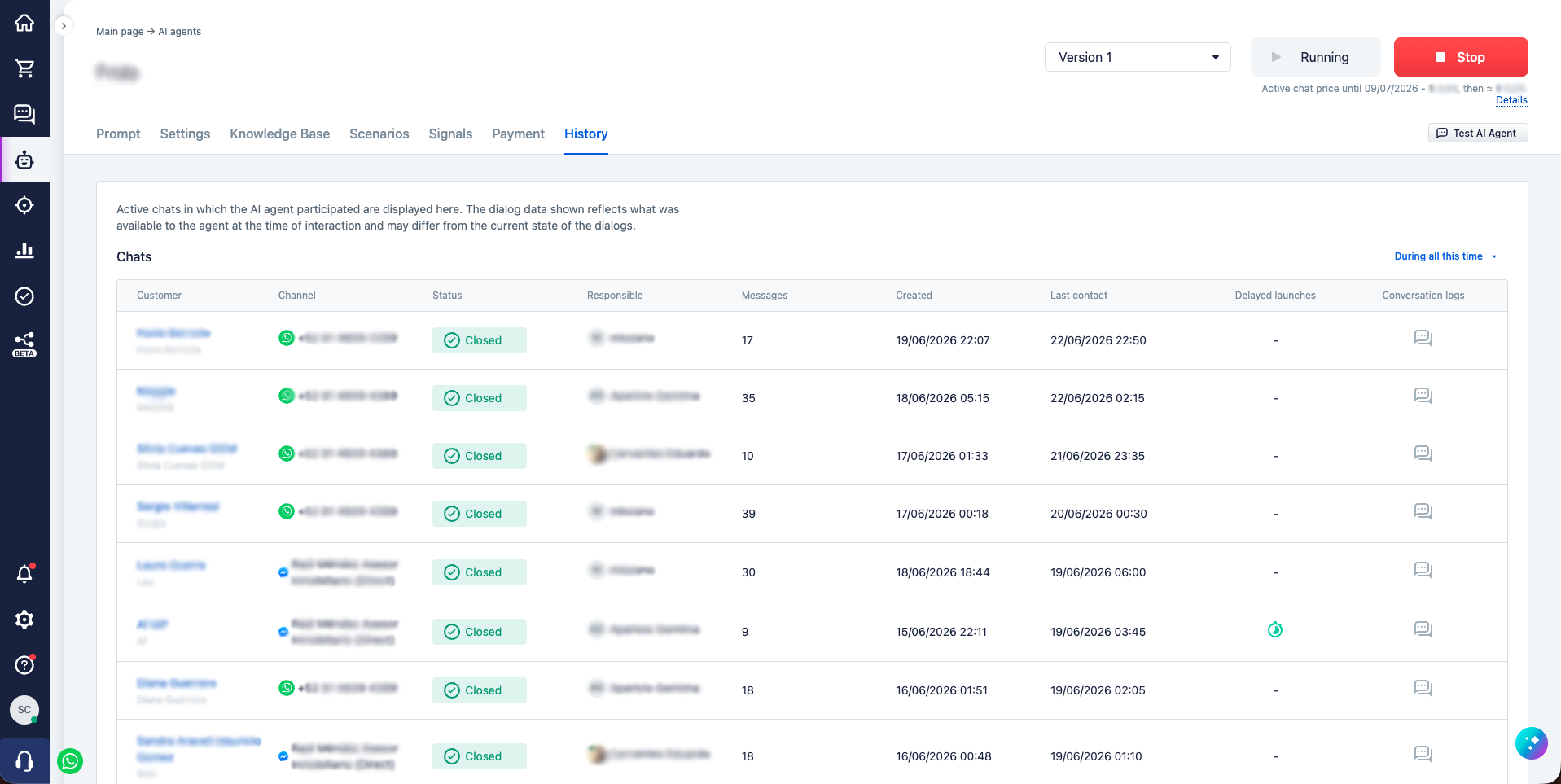
The chats table
On the tab there is a "Chats" table: each row is an active chat the agent took part in. The row shows the basics — the columns "Customer", "Channel", "Status", "Responsible", "Messages", "Created", and "Last contact". At the bottom — counters ("Total customers" and "Messages") and the paginated list output with a choice of the number of rows per page (20, 50, or 100); at the top right — a period filter (by default "During all this time").
An important caveat: the history shows dialogs as the agent saw them at the moment of work. The current state of the dialog in the CRM may have changed since then — the log reflects not "how it is now" but "how it was when the agent worked".
Each row has two icons that open the details for the chat: "Delayed launches" and "Conversation logs".
Conversation log
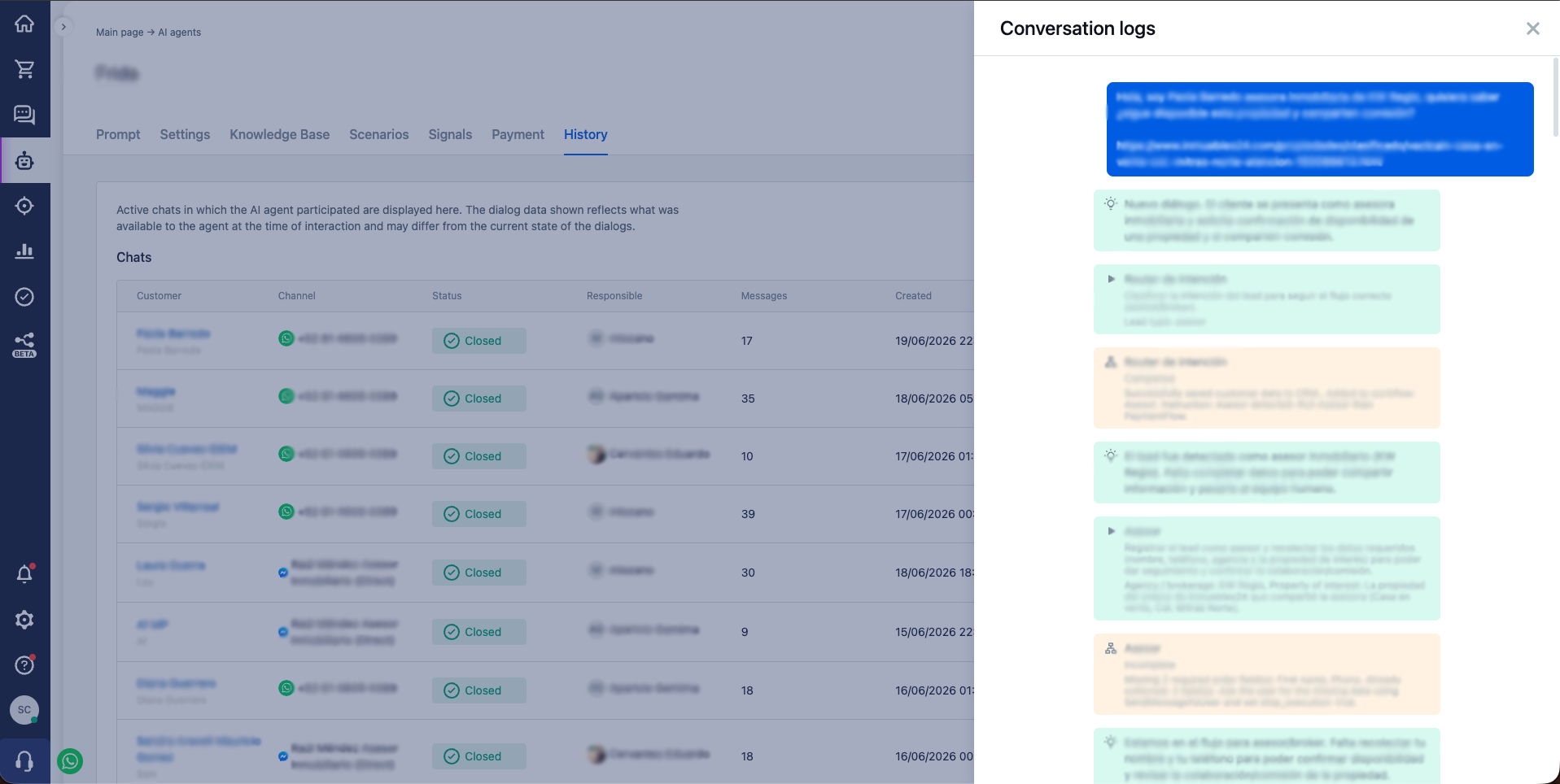
This is the main thing in the section. The icon in the "Conversation logs" column opens the full course of the agent's work on the chat — in almost the same form as the test chat (see Testing and debugging). Besides the client's and the agent's messages, all the internal work is visible here:
- the agent's reasoning — how it understood the situation before acting;
- the called steps — which scenario steps the agent decided to run and why;
- the execution results — what these steps did (for example, the collected data or the created order);
- the reason for stopping — why the agent finished the turn (waiting for the client's reply, work completed, etc.).
What each block means and how to read it is covered in detail in the section on the test chat; the format is the same.
The log differs from the test chat in two things that are not here: the list of steps available to the agent and the dashboard tasks. These are dynamic data — the system calculates them at the moment the agent starts rather than accumulating them in the conversation, so they cannot be restored in the saved history. Everything else is enough to understand how the agent worked and why it made one decision or another.
This is exactly why the log is the main tool for examining mistakes in real chats: instead of guessing "why the agent answered that way", you can read its thoughts and see at which step and for what reason it acted not as expected.
Delayed launches
The icon in the "Delayed launches" column shows the delayed actions the agent created in this chat (see Delayed actions). They are grouped into those that have already fired ("Completed") and those still waiting for their time ("Not completed", with the launch date). The last 20 are shown.
This makes it convenient to check which reminders the agent set for the client and which of them are still ahead.
Opening from the client chat
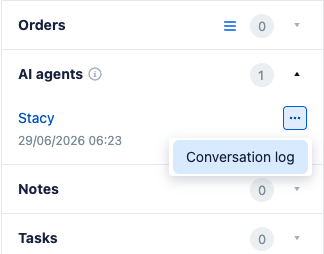
The log can be opened not only from the history table but also right from the conversation with the client. The client card has an "AI agents" block; in its menu (the "…" button) next to the needed agent there is a "Conversation log" item — it immediately opens the log for this specific client, without having to look for the chat in the history manually.